UXNavigationController
UXNavigationController is the navigation stack, the first class of the
mobile-aware layer and UINavigationController in shape. Forms are
pushed forward and popped back, and one is visible at a time. The
bar shows the current title and a back affordance naming the previous
form. It is the compact-space realization of the rsc format’s
MASTER-DETAIL composition (UXNB v2 §5): on a phone, the master presents,
selecting pushes the detail, and back pops.
It follows the same structure as UXTabView.
The stack is a pure model (push, pop, depth, top), unit-testable with
no window, and applyNav maps it onto a live tree by hiding
everything except the top form’s content.
Native where the platform has its own
Section titled “Native where the platform has its own”Where the driver has its own navigation stack, every push and pop is handed to it as well. The bar, the Back button, the push animation and the gestures are then the platform’s own:
| platform | realization |
|---|---|
| iOS | a real UINavigationController: native bar, Back titled with the form underneath, the push animation and the interactive edge-swipe |
| Android | the top app bar (a Toolbar with the theme’s Up arrow) and the system Back, button or gesture |
| everywhere else | the drawn bar (chevron, back title, current title) |
A pop the user makes on the native stack (Back, a completed swipe, Up)
is not an app event. It comes back as a pop, so the model follows and the
delegate hears formDidHide / formWillShow exactly as for
pop. On Android, Back is caught only while there is somewhere to
go back to, so Back at the root still leaves the app. (On Android 8–12,
API 26–32, Back leaves the app at any depth; Up in the bar still pops.)
The controller hands over to the native stack the first time it is in a window: on a push, or at its first draw. Code that pushes and pops does not change.
A flow is a horizontal strip of layouts: forward-swipe targets to the right, back to the left. This is the order a user swipes through them, and the order Rocks lays them out for editing.
#use <UXKit>Overview
Section titled “Overview”UXNavigationController* nav = new UXNavigationController();nav.setDelegate(controller);content.addSubview(nav, UXGeom.make(0, 0, 320, 480));
nav.push((u8*)"Contacts", listView); // the root — no back affordancenav.push((u8*)"Alice", detailView); // bar: ‹ Contacts Alicenav.pop(); // back to the listA pushed content view with no owner yet is attached into the content area automatically. A popped view stays attached and hidden, so pushing it again is cheap.
Lifecycle
Section titled “Lifecycle”The delegate receives the §5 notifications, timed the way every driver maps them from its native lifecycle:
protocol UXNavigationDelegate { optional void formWillShow(UXNavigationController* n, UXView* content, i32 depth); optional void formDidHide(UXNavigationController* n, UXView* content, i32 depth);}formWillShow fires for a form about to become the visible top: on its
push, and again when a pop re-reveals it. formDidHide fires for a form
leaving the top, either covered by a push or popped off. The delegate is
held weakly, like other delegates.
Topics
Section titled “Topics”Forward and back · push · pop · popToRoot The stack · depth · topTitle · topContent · backTitle · canGoBack · isFormVisible The tree · applyNav · contentFrame Delegate · setDelegate
void push(u8* title, UXView* content)Covers the current top (announcing formDidHide), pushes the new form,
announces its formWillShow, and applies the visibility. The first push
is the root. It never shows a back affordance and never pops.
void pop(void)Announces the top’s formDidHide, removes it, announces the re-revealed
form’s formWillShow, and applies. A pop at the root does nothing.
popToRoot
Section titled “popToRoot”void popToRoot(void)Pops until only the root remains, announcing each step.
i32 depth(void)How many forms are stacked. 0 before the first push.
topTitle / topContent
Section titled “topTitle / topContent”u8* topTitle(void)UXView* topContent(void)The visible form’s title and content view.
backTitle
Section titled “backTitle”u8* backTitle(void)The title of the form under the top. The back affordance shows it, because back returns to that form. Empty at the root.
canGoBack
Section titled “canGoBack”bool canGoBack(void)Whether a pop would do anything (depth > 1).
isFormVisible
Section titled “isFormVisible”bool isFormVisible(i32 i)Model state: true only for the top form.
applyNav
Section titled “applyNav”void applyNav(void)Applies the model to the tree: setHidden on every content view except
the top’s, and redraws the bar. Runs automatically after push and pop.
Call it directly only after wiring contents by hand.
contentFrame
Section titled “contentFrame”UXRect contentFrame(void)The area below the bar, where pushed content lives. The bar’s height
comes from UXMetrics (44 on the
device realm, 28 on desktop).
setDelegate
Section titled “setDelegate”void setDelegate(UXNavigationDelegate* d)The lifecycle listener. It is held weakly, so keep it alive yourself.
Platform appearance
Section titled “Platform appearance”The portrait is two forms deep: the bar shows back-to-Contacts over the visible Alice form.
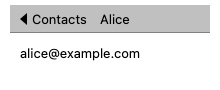
The drawn fallback bar: chevron, back title, current title.

A real UINavigationController: the native bar and Back button, the
push animation, and the edge-swipe to go back.

The top app bar: a native Toolbar with the theme’s Up arrow. The
system Back (button or gesture) pops.
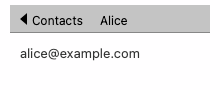
The drawn fallback bar. Desktop apps usually realize master-detail as a split instead (see UXNB v2 §5).
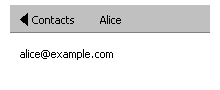
The drawn fallback bar.
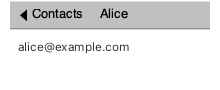
The drawn fallback bar.
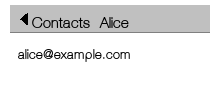
The drawn fallback bar.
See also
Section titled “See also”UXTabView: the TABS composition’s neutral realizationUXSplitView: master-detail in a regular space- UXNB v2 §5: the composition records that declare these flows in an rsc file